



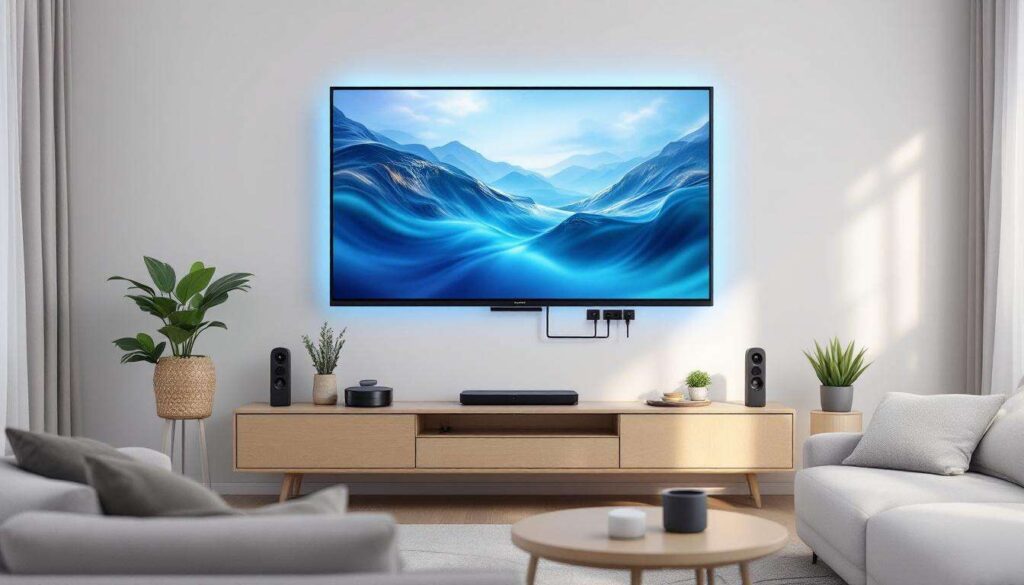
Most modern televisions come equipped with at least one USB port, yet many owners never explore its potential beyond the occasional firmware update. These versatile connections offer far more functionality than most people realise, transforming your television into a more capable entertainment hub. From powering your favourite streaming devices to playing your personal media collection, the humble USB port deserves more attention than it typically receives.
Using your USB port to charge your devices
The USB port on your television provides a convenient power source for various devices, eliminating the need for additional wall sockets and reducing cable clutter around your entertainment centre. This feature proves particularly valuable in homes where plug sockets are at a premium or positioned inconveniently far from the television.
Powering streaming devices and dongles
Many popular streaming devices can draw power directly from your television’s USB port. Chromecast, Amazon Fire TV Stick, and Roku Streaming Stick are designed to work with USB power, allowing for a cleaner setup. The advantage extends beyond aesthetics: when you power these devices through your television, they typically enter standby mode when you switch off the TV, conserving energy and extending device lifespan.
- Chromecast and similar casting devices
- Compact streaming sticks
- Digital TV aerials with built-in amplifiers
- LED bias lighting strips
- Wireless keyboard and mouse receivers
Charging remote controls and accessories
Modern smart TV remotes increasingly feature rechargeable batteries rather than disposable ones. The television’s USB port offers an ideal charging location, keeping your remote topped up without occupying valuable wall socket space. Some premium televisions even include dedicated remote charging cradles that connect via USB.
Understanding the power limitations of television USB ports remains essential for safe usage. Most TV USB ports provide between 500mA and 1A of current, sufficient for small devices but inadequate for power-hungry tablets or smartphones requiring fast charging. Always check your device specifications before relying on TV USB ports for charging purposes.
Beyond simple device charging, your television’s USB capabilities extend into the realm of media playback, offering surprising versatility for enjoying your personal content library.
Playing media files directly on your television
The media playback functionality of television USB ports represents one of their most practical applications, allowing you to enjoy photos, music, and videos without streaming services or internet connectivity.
Supported file formats and compatibility
Modern televisions support an impressive range of file formats through their USB ports. Most sets handle common video formats including MP4, AVI, MKV, and MOV, whilst photo support typically encompasses JPEG, PNG, and BMP files. Audio playback usually covers MP3, WAV, and AAC formats.
| Media Type | Common Formats | Typical Limitations |
|---|---|---|
| Video | MP4, AVI, MKV, MOV | 4K content may require specific codecs |
| Photos | JPEG, PNG, BMP, GIF | Resolution limits vary by TV model |
| Audio | MP3, WAV, AAC, FLAC | High-resolution audio support varies |
Preparing your USB storage device
Formatting your USB drive correctly ensures optimal compatibility with your television. Most modern TVs work best with FAT32 or exFAT file systems, though some newer models support NTFS. FAT32 remains the safest choice for universal compatibility, despite its 4GB individual file size limitation.
- Format drives as FAT32 for maximum compatibility
- Organise files into clearly labelled folders
- Keep file names simple without special characters
- Test with smaller drives before investing in large capacity storage
- Regularly scan for errors to prevent playback issues
Creating a well-organised folder structure on your USB drive enhances navigation through your television’s interface. Separate folders for different content types, events, or family members make locating specific files considerably easier during playback.
Whilst media playback offers considerable entertainment value, the USB port’s utility extends further when connecting specialised accessories designed to enhance your viewing experience.
Connecting smart TV accessories
The expansion possibilities through USB connectivity transform your television into a more interactive and functional device, accommodating various peripherals that enhance usability and entertainment options.
Keyboards and mice for easier navigation
Navigating smart TV interfaces using a standard remote control can prove frustrating, particularly when entering search terms or passwords. Connecting a wireless keyboard and mouse combination through a USB receiver dramatically improves the user experience, making text entry and web browsing considerably more efficient.
Most smart televisions automatically recognise USB keyboards and mice without requiring additional drivers or configuration. This plug-and-play functionality makes setup straightforward, even for less technically inclined users. Wireless combinations prove particularly practical, eliminating cable clutter whilst maintaining flexibility in seating arrangements.
Webcams for video calling
Several smart TV platforms now support video calling applications, and connecting a USB webcam enables this functionality. This feature gained particular relevance during recent years when remote communication became essential for many households. Compatible televisions with appropriate apps can facilitate video calls on a much larger screen than smartphones or tablets offer.
- Check your TV’s specifications for webcam compatibility
- Ensure adequate lighting for optimal video quality
- Position the camera at appropriate eye level
- Test audio quality as some webcams include built-in microphones
- Verify supported video calling applications before purchasing
Game controllers and entertainment peripherals
Gaming on smart TVs becomes more enjoyable with dedicated controllers connected via USB. Whilst many modern controllers use Bluetooth connectivity, USB connections offer zero-latency responses and eliminate battery concerns during extended gaming sessions.
Beyond gaming and navigation improvements, USB connectivity can significantly enhance your television’s audio capabilities through specialised hardware additions.
Enhancing audio experience with a DAC
Audio enthusiasts often overlook the potential for improving sound quality through their television’s USB port, yet connecting an external digital-to-analogue converter can dramatically enhance the listening experience.
Understanding DAC benefits
A digital-to-analogue converter processes digital audio signals from your television and converts them into analogue signals with greater precision than most built-in TV audio processors. This results in clearer, more detailed sound reproduction, particularly noticeable when listening through quality headphones or external speakers.
The improvement proves most apparent in dialogue clarity, musical detail, and overall soundstage presentation. Whilst not every television supports USB audio output, many mid-range and premium models include this functionality, making it worth investigating your specific model’s capabilities.
Connecting and configuring external audio devices
Setting up a USB DAC typically requires accessing your television’s audio settings menu and selecting USB audio output as the preferred sound destination. Some televisions automatically detect connected audio devices, whilst others require manual configuration.
- Verify your TV supports USB audio output before purchasing a DAC
- Choose DACs with appropriate impedance for your headphones
- Consider models with volume controls for convenient adjustment
- Check power requirements as some DACs need external power supplies
- Test different audio formats to ensure compatibility
The audio quality improvements from a dedicated DAC become particularly valuable for late-night viewing when using headphones, allowing you to appreciate full dynamic range without disturbing others in your household.
As television technology continues evolving, manufacturers regularly introduce new capabilities that can be accessed and enhanced through USB connectivity.
Exploring new features with software updates
The software update functionality through USB ports provides an essential maintenance tool for keeping your television operating at peak performance with the latest features and security patches.
Manual firmware updates via USB
Whilst most modern televisions receive automatic updates through internet connectivity, USB-based updates offer advantages in certain situations. Homes with limited or unreliable internet connections benefit from downloading updates on another device and transferring them via USB storage. This method also proves valuable when troubleshooting problematic automatic updates.
The process typically involves visiting the manufacturer’s support website, downloading the appropriate firmware file for your specific television model, copying it to a formatted USB drive, and following on-screen instructions after connecting the drive to your TV. Always ensure you download firmware exactly matching your television model to avoid potential compatibility issues.
Adding functionality through USB accessories
Some television manufacturers offer optional USB accessories that unlock additional features. These might include wireless network adapters for older models lacking built-in connectivity, Bluetooth dongles for wireless audio streaming, or specialised tuners for receiving additional broadcast formats.
| Accessory Type | Primary Function | Typical Compatibility |
|---|---|---|
| Wi-Fi Adapter | Wireless internet connectivity | Older smart TV models |
| Bluetooth Dongle | Wireless audio transmission | TVs lacking built-in Bluetooth |
| DVB-T2 Tuner | Enhanced broadcast reception | Region-specific compatibility |
Researching your television manufacturer’s official accessories ensures compatibility and proper functionality. Third-party alternatives may offer cost savings but require careful verification of compatibility before purchase.
Your television’s USB port represents far more than a forgotten connection gathering dust. Whether charging devices, playing personal media collections, connecting productivity accessories, enhancing audio quality, or maintaining system software, these versatile ports offer practical functionality that enhances your viewing experience. Taking time to explore these capabilities transforms your television from a passive display into a more capable entertainment and productivity hub, maximising the value of your investment whilst reducing reliance on additional equipment and power sockets.