



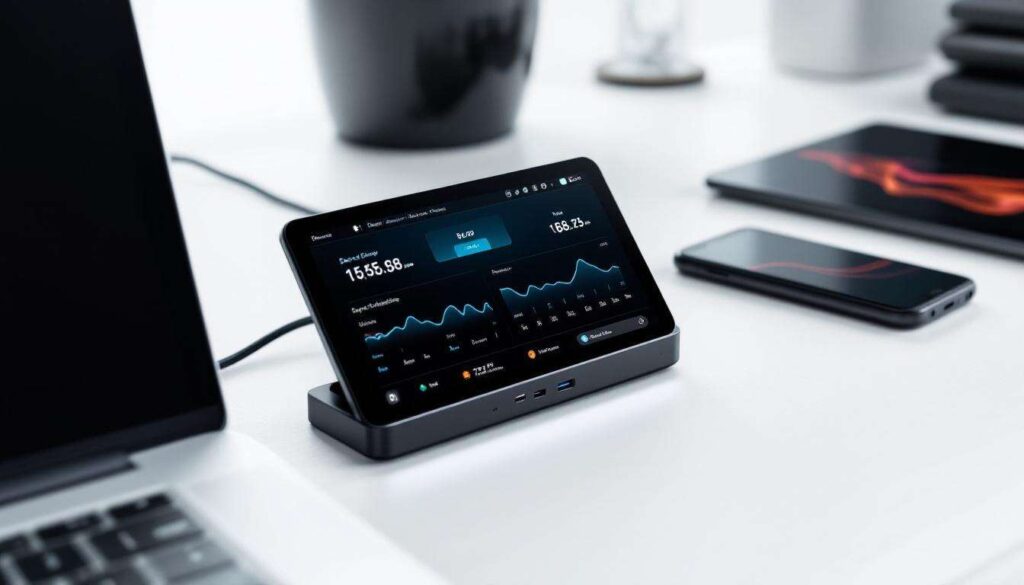
Managing multiple devices through a single hub has long been a practical solution for professionals and tech enthusiasts alike. However, the addition of a touchscreen interface to a USB-C hub transforms this functional tool into something far more sophisticated. After making the switch to a touchscreen-equipped USB-C hub, the difference in how I monitor and control my connected devices has been remarkable. The ability to view real-time data, adjust settings, and troubleshoot issues directly from the hub itself eliminates the constant need to check individual device statuses through software or operating system menus. This innovation represents a significant leap forward in peripheral management, offering both convenience and enhanced control in a compact form factor.
Introduction to the USB-C hub with touchscreen
The concept of a USB-C hub with an integrated touchscreen may initially sound like an unnecessary addition to an already functional device. However, this feature fundamentally changes how users interact with their connected peripherals. Unlike traditional hubs that serve merely as passive connection points, a touchscreen-enabled hub provides active monitoring and control capabilities directly at the hardware level.
What makes this hub different
The touchscreen interface typically ranges from 2.4 to 4 inches in size, displaying crucial information about connected devices. This screen shows data such as power consumption, data transfer rates, connection status, and device identification. Users can navigate through intuitive menus to access detailed information about each port and the devices connected to them.
- Real-time power draw monitoring for each connected device
- Data transfer speed indicators showing current throughput
- Temperature readings for the hub itself
- Port status indicators showing active and inactive connections
- Device identification with names and types
Technical specifications worth noting
Most touchscreen USB-C hubs feature capacitive touch displays similar to those found on smartphones, ensuring responsive interaction. The screens typically operate at resolutions between 320×240 and 480×320 pixels, which proves sufficient for displaying text and basic graphics clearly. The interface usually includes customisable settings that allow users to prioritise which information appears on the main screen.
Understanding these capabilities naturally leads to exploring the tangible advantages that the touchscreen brings to everyday use.
The benefits of an integrated touchscreen
The presence of a touchscreen on a USB-C hub delivers several practical advantages that extend beyond mere novelty. The most immediate benefit lies in the elimination of guesswork when troubleshooting connectivity issues or managing power distribution across multiple devices.
Instant visibility into device status
Rather than opening system settings or third-party applications to check device connections, the touchscreen provides immediate visual confirmation of what’s connected and how each device is performing. This proves particularly valuable when working with external storage drives, where knowing the current data transfer rate can help identify bottlenecks or connection problems.
| Information Type | Update Frequency | Practical Value |
|---|---|---|
| Power consumption | Real-time | Prevents overload situations |
| Transfer speeds | Per second | Identifies slow connections |
| Device temperature | Every 5 seconds | Warns of overheating risks |
| Port activity | Instant | Confirms active connections |
Proactive problem prevention
The ability to monitor power consumption across all ports simultaneously allows users to avoid overloading the hub. Many devices draw varying amounts of power depending on their activity level, and seeing these fluctuations in real-time helps prevent unexpected disconnections or performance degradation. When a device begins drawing excessive power, the touchscreen can display warnings before problems occur.
These monitoring capabilities work hand-in-hand with the hub’s core function of providing comprehensive connectivity options.
Enhanced connectivity with the USB-C hub
Beyond the touchscreen feature, these hubs typically offer extensive connectivity options that address the limitations of modern laptops with minimal ports. The combination of multiple port types with intelligent monitoring creates a versatile workstation hub.
Port variety and configuration
A typical touchscreen USB-C hub includes a diverse array of ports designed to accommodate various peripherals and use cases. The configuration usually balances legacy compatibility with modern standards.
- Multiple USB-A ports (usually 3.0 or 3.1 specification) for traditional peripherals
- Additional USB-C ports supporting both data and power delivery
- HDMI or DisplayPort outputs for external monitors
- SD and microSD card readers for photographers and content creators
- Ethernet ports for stable wired network connections
- Audio jacks for headphones or external speakers
Power delivery capabilities
Most touchscreen USB-C hubs support Power Delivery (PD) protocols, allowing them to charge connected laptops whilst simultaneously powering peripherals. The touchscreen displays exactly how much power is being allocated to the host device versus connected peripherals, providing transparency that helps users understand their power budget. This feature proves invaluable when working with power-hungry devices like external graphics cards or multiple storage drives.
With such comprehensive connectivity established, the practical applications for monitoring become increasingly apparent.
Practical uses for device monitoring
The touchscreen’s monitoring capabilities extend far beyond simple status checks, offering actionable insights that improve how users interact with their connected devices.
Professional workflow optimisation
For professionals working with large file transfers, the ability to monitor transfer speeds in real-time helps identify when connections aren’t performing optimally. If an external SSD should be achieving 1000 MB/s but the touchscreen shows only 400 MB/s, this immediately signals a problem that can be addressed by checking cable quality or port compatibility.
Content creation scenarios
Video editors and photographers benefit significantly from simultaneous monitoring of multiple storage devices. When working with footage spread across several external drives, the touchscreen shows which drives are actively being accessed and at what speeds, helping to prevent accidental disconnection during critical operations.
- Monitoring SD card read speeds during footage transfers
- Tracking external drive activity during video rendering
- Verifying backup operations complete successfully
- Ensuring adequate power delivery to bus-powered devices
These monitoring capabilities prove equally valuable across various device types and operating systems.
Compatibility and versatility with different devices
One of the most impressive aspects of touchscreen USB-C hubs is their broad compatibility across different platforms and device types. The touchscreen functionality operates independently of the host operating system, ensuring consistent performance regardless of whether you’re using Windows, macOS, Linux, or even certain tablets and smartphones.
Cross-platform functionality
The hub’s monitoring features work through hardware-level implementation, meaning they don’t require drivers or software installation on the connected computer. This approach ensures that the touchscreen displays accurate information whether connected to a MacBook Pro, a Windows laptop, or a Linux workstation.
Mobile device integration
Many touchscreen USB-C hubs also work with compatible tablets and smartphones, transforming these mobile devices into desktop-like workstations. The touchscreen becomes particularly valuable in these scenarios, as mobile operating systems often provide limited visibility into connected peripheral status.
This versatility directly contributes to measurable improvements in how efficiently one can work throughout the day.
Impact on daily efficiency and productivity
The cumulative effect of having instant access to device monitoring information manifests in subtle but significant productivity improvements. Time previously spent troubleshooting connection issues or wondering whether devices are functioning properly is eliminated.
Reduced troubleshooting time
When a device isn’t working as expected, the touchscreen immediately narrows down potential causes. If a device shows as connected but not drawing power, the issue likely lies with the device itself rather than the connection. If transfer speeds are lower than expected, the touchscreen data helps determine whether the problem stems from the cable, the device, or the port.
Confidence in system stability
Perhaps the most valuable benefit is the peace of mind that comes from knowing exactly what’s happening with connected devices. During important work sessions or lengthy file transfers, a quick glance at the touchscreen confirms everything is operating normally without interrupting workflow to check software utilities.
The combination of comprehensive monitoring, enhanced connectivity, and intuitive control creates a tool that genuinely improves the daily computing experience.
Adopting a USB-C hub with an integrated touchscreen has proven to be far more than a technological curiosity. The real-time monitoring capabilities, combined with comprehensive connectivity options, address genuine pain points in managing multiple devices. The touchscreen interface transforms a passive accessory into an active management tool, providing visibility and control that simply isn’t available with traditional hubs. For anyone who regularly works with multiple peripherals, particularly in professional environments where reliability and efficiency matter, this type of hub represents a worthwhile investment that delivers tangible benefits every day.