



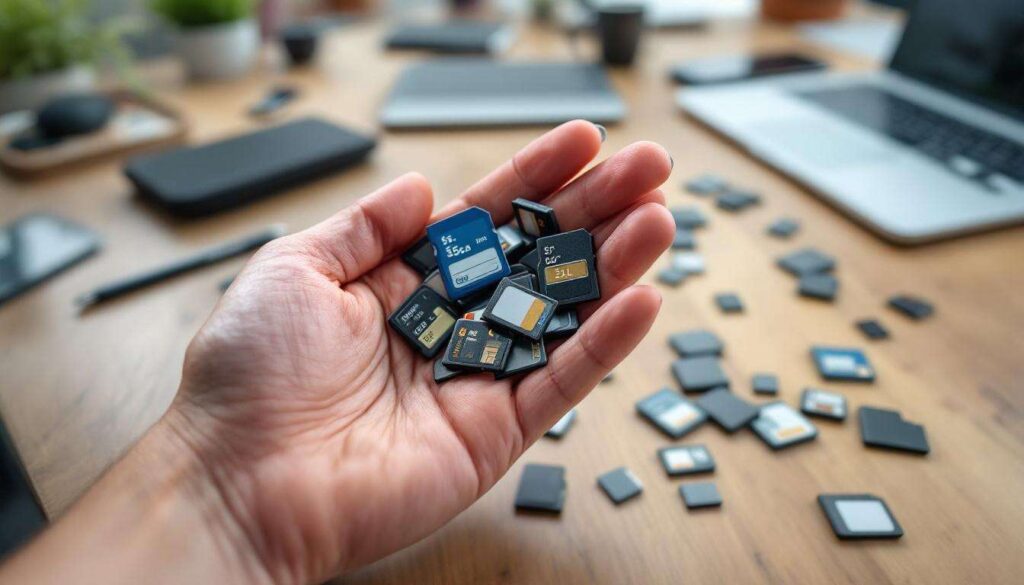
Countless drawers and storage boxes across the country harbour forgotten SD cards, relics from digital cameras, smartphones, and portable gaming devices that have long since been replaced. These diminutive storage devices, once essential for capturing holiday snapshots and storing music collections, now sit idle as modern technology has moved towards cloud storage and integrated memory solutions. Rather than consigning these cards to landfill or allowing them to languish unused, there exist numerous practical applications that can breathe new life into these ageing pieces of technology.
Creative Reuse of SD Cards
Portable Operating System Carriers
Transforming an old SD card into a bootable operating system drive represents one of the most versatile applications for these forgotten storage devices. By installing a lightweight Linux distribution such as Puppy Linux or Ubuntu, users can create a portable computing environment that boots from virtually any machine equipped with an SD card reader. This approach proves particularly valuable for:
- Testing new operating systems without affecting primary installations
- Accessing computers when locked out of standard accounts
- Running diagnostic tools on malfunctioning systems
- Maintaining privacy by leaving no traces on host computers
Dedicated Application Storage
Smaller capacity SD cards, typically those ranging from 4GB to 16GB, can serve as dedicated storage for specific applications or project files. Photographers might dedicate one card to storing presets and editing templates, whilst developers could use another for containing project documentation. This compartmentalised approach to file management reduces clutter on primary drives and creates a physical backup system that exists independently of network connectivity.
Educational Tools for Children
Repurposing SD cards as educational resources provides children with hands-on experience in digital literacy. Parents can load cards with age-appropriate educational software, e-books, or curated multimedia content, creating screen-time alternatives that encourage learning. This method also teaches youngsters about physical storage media and file management concepts that remain relevant despite the prevalence of cloud services.
Beyond these creative applications, SD cards excel in their traditional role when approached with renewed purpose and strategic planning.
Back Up Your Important Data
Implementing a Multi-Tiered Backup Strategy
Old SD cards integrate seamlessly into a comprehensive backup strategy that follows the widely recommended 3-2-1 rule: three copies of data, on two different media types, with one copy stored off-site. These cards can serve as the secondary physical backup, complementing cloud storage and external hard drives. The compact nature of SD cards makes them ideal for storing in safety deposit boxes or at trusted friends’ homes, providing geographical redundancy.
| Storage Capacity | Recommended Use | Approximate File Count |
|---|---|---|
| 4GB – 8GB | Document archives, tax records | 8,000 – 16,000 documents |
| 16GB – 32GB | Photo collections, music libraries | 4,000 – 8,000 high-resolution images |
| 64GB+ | Video archives, complete system backups | 15 – 30 hours of HD video |
Archiving Irreplaceable Memories
Photographs from family gatherings, wedding videos, and childhood recordings constitute irreplaceable digital assets that warrant multiple backup locations. Before relying on an old SD card for this purpose, users should test its integrity using diagnostic software that checks for bad sectors and read/write errors. Cards showing signs of degradation should be used only for tertiary copies rather than primary storage.
Rotating Backup Schedule
Establishing a rotating backup schedule maximises the utility of multiple old SD cards whilst minimising risk. This approach involves:
- Labelling cards with dates and content descriptions
- Updating backups on a monthly or quarterly basis
- Storing cards in protective cases away from magnetic fields
- Maintaining a digital inventory of which data resides on each card
With data securely backed up, these versatile cards can assume additional roles that extend their functionality beyond simple storage.
Transform an SD Card into a USB Drive
Utilising Card Readers for Enhanced Portability
A simple USB card reader converts any SD card into a functional USB drive, offering advantages over traditional flash drives. This combination provides modular flexibility, allowing users to swap cards depending on their needs whilst maintaining a single, compact reader attached to a keychain. Modern card readers support USB 3.0 standards, ensuring transfer speeds that rival dedicated flash drives.
Creating Specialised Transfer Devices
Dedicated SD-to-USB configurations excel in specific scenarios where traditional USB drives prove cumbersome. For instance, a read-only card reader prevents accidental deletion when sharing files with others, whilst write-protected SD cards safeguard against malware infection when connecting to public computers. This approach proves particularly valuable for:
- Sharing portfolios with potential employers
- Distributing presentation materials at conferences
- Transferring files between incompatible systems
- Maintaining separate storage for work and personal data
The adaptability of SD cards extends further when paired with single-board computers that have revolutionised hobbyist computing.
Use an SD Card for Pi Storage
Raspberry Pi Operating Systems
Raspberry Pi devices rely exclusively on SD cards for their primary storage, making old cards ideal candidates for experimental projects. Users can install various operating systems, from the standard Raspberry Pi OS to specialised distributions for media centres, retro gaming, or home automation. Cards with capacities between 8GB and 32GB provide sufficient space for most Pi projects whilst leaving room for data and additional software.
Project-Specific Configurations
Maintaining multiple SD cards with different configurations allows Raspberry Pi enthusiasts to switch between projects without reconfiguring their systems. This approach supports:
- A media centre card running Kodi or Plex
- A retro gaming setup with RetroPie
- A network-attached storage configuration
- An experimental development environment
Performance Considerations
Older SD cards may exhibit slower read/write speeds compared to modern alternatives, but they remain perfectly adequate for many Raspberry Pi applications. Class 10 cards or those with UHS-I ratings deliver acceptable performance for most use cases, though users should avoid cards showing signs of wear for mission-critical applications.
Beyond hobbyist computing, SD cards serve essential functions in system maintenance and recovery operations.
Create a System Recovery Medium
Emergency Boot Environments
A dedicated system recovery SD card provides a lifeline when primary storage fails or operating systems become corrupted. These recovery media contain diagnostic tools, antivirus scanners, and password reset utilities that function independently of the host system. Popular options include:
- Windows Recovery Environment for system restoration
- Linux-based rescue distributions like SystemRescue
- Antivirus boot discs from major security vendors
- Data recovery tools for retrieving files from failing drives
BIOS Configuration Requirements
Successful booting from SD cards requires proper BIOS configuration, as many systems prioritise internal drives by default. Users should access their BIOS settings during startup and adjust the boot order to include SD card readers. This one-time configuration ensures the recovery medium activates when needed, potentially saving hours of troubleshooting.
Regular Testing and Updates
Recovery media prove worthless if they fail during emergencies. Quarterly testing verifies that cards remain functional and that recovery tools stay current with evolving threats and system architectures. This maintenance routine takes mere minutes but ensures preparedness when disaster strikes.
These recovery capabilities complement broader strategies for maximising the value of existing technology investments.
Extend the Lifespan of Electronic Devices
Supplementing Internal Storage
Devices with limited internal storage benefit significantly from SD card expansion, particularly older smartphones, tablets, and digital cameras. Installing an old SD card configured for application storage or media files prevents the performance degradation that accompanies full internal memory. This approach extends device usability by several years, delaying costly replacements.
Dedicated Cache Storage
Using SD cards as dedicated cache storage for specific applications reduces wear on primary storage whilst improving performance. Android devices support this functionality natively, allowing users to designate SD cards for application data, downloaded content, or temporary files. This configuration proves particularly beneficial for:
- Streaming applications that cache large video files
- Navigation software requiring offline map storage
- Photography apps generating substantial temporary files
- Gaming applications with large asset libraries
Reducing Electronic Waste
Repurposing old SD cards contributes to environmental sustainability by reducing electronic waste. Each card kept in service represents raw materials conserved and manufacturing emissions avoided. Whilst individual contributions may seem modest, collective action across millions of households generates meaningful environmental benefits.
| Environmental Impact | Per SD Card | Per 1,000 Cards |
|---|---|---|
| Plastic waste avoided | 2-3 grams | 2-3 kilograms |
| Rare earth materials conserved | 0.5 grams | 500 grams |
| Manufacturing CO2 prevented | 50 grams | 50 kilograms |
Old SD cards possess remarkable versatility that extends far beyond their original purpose as camera storage. Whether transformed into bootable operating systems, integrated into comprehensive backup strategies, paired with Raspberry Pi projects, or deployed as emergency recovery tools, these compact devices continue offering practical value. Their ability to extend device lifespans whilst reducing electronic waste adds environmental benefits to their technical utility. However, users must remain mindful of the limitations inherent in ageing storage media, implementing appropriate safeguards such as regular integrity checks and avoiding their use for irreplaceable data without multiple redundant copies. By approaching these forgotten devices with creativity and caution, households can extract considerable ongoing value from technology that might otherwise contribute to growing electronic waste streams.