



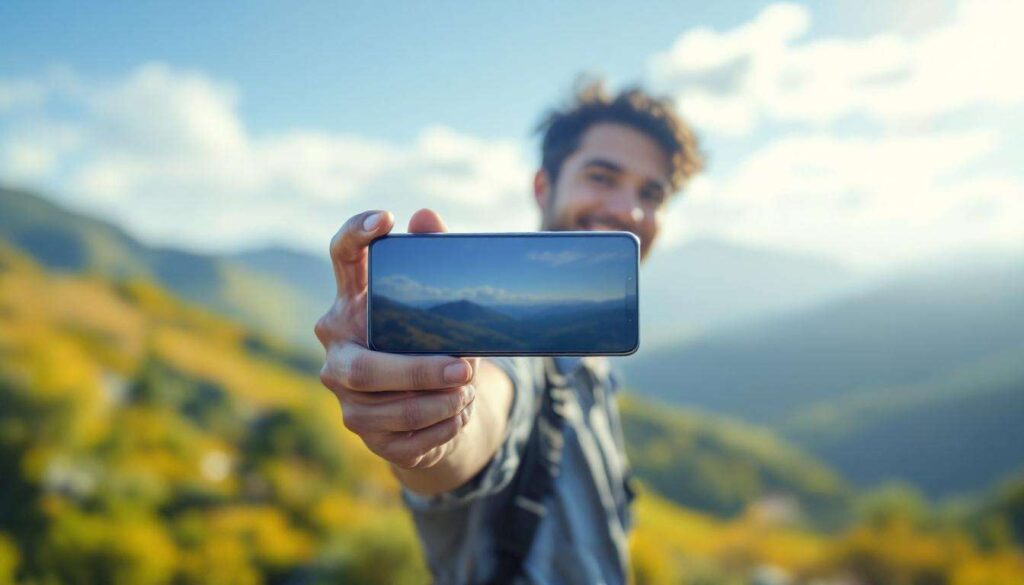
The camera on your Samsung Galaxy smartphone is far more versatile than many users realise. While capturing stunning photographs remains its primary function, Samsung has packed numerous additional capabilities into its camera application that extend well beyond traditional photography. From professional-grade video recording to augmented reality experiences, these features transform your device into a multifunctional creative tool. Understanding these hidden talents can significantly enhance your daily productivity and creative expression.
Advanced video modes for content creators
Professional recording features at your fingertips
Samsung Galaxy cameras offer sophisticated video recording capabilities that rival dedicated equipment. The Pro Video mode grants manual control over essential parameters including ISO sensitivity, shutter speed, and white balance. Content creators can achieve cinematic results without investing in expensive camera gear, making professional-quality production accessible to everyone.
- Director’s View allows simultaneous recording from multiple lenses
- Single Take mode captures various formats in one recording session
- Super Steady stabilisation eliminates unwanted camera shake
- 8K video recording preserves exceptional detail for future editing
Slow motion and hyperlapse capabilities
The slow motion feature captures moments at up to 960 frames per second, revealing details invisible to the naked eye. Conversely, hyperlapse condenses lengthy sequences into brief, engaging clips perfect for social media content. These tools enable storytelling techniques previously reserved for professional filmmakers, democratising creative expression through accessible technology.
These video capabilities naturally complement another innovative feature that enhances digital communication.
Enhance your video calls with AR
Transform virtual meetings with augmented reality
Samsung’s camera application integrates augmented reality effects directly into video calling platforms. The AR Zone provides access to customisable avatars, background effects, and interactive filters that maintain professionalism whilst adding personality to remote conversations. This functionality proves particularly valuable for maintaining engagement during lengthy virtual meetings.
| Feature | Application | Benefit |
|---|---|---|
| AR Emoji | Personal avatars | Privacy protection |
| Background blur | Professional calls | Distraction reduction |
| Beauty effects | Video conferencing | Enhanced appearance |
Real-time facial tracking technology
The camera employs sophisticated facial recognition algorithms that track movements with remarkable precision. This technology ensures AR effects remain properly aligned regardless of head position or lighting conditions. Users can gesture, move, and express themselves naturally whilst maintaining seamless augmented reality integration throughout their video communications.
Beyond enhancing appearances, the camera’s intelligence extends to interpreting the world around you.
Scan and translate text in real time
Instant translation capabilities
Samsung’s Bixby Vision transforms your camera into a powerful translation tool. Simply point the lens at foreign text, and the application provides immediate translations overlaid directly onto your screen. This feature proves invaluable when travelling abroad, reading foreign documents, or navigating unfamiliar environments without requiring separate translation applications.
- Supports over 50 languages for comprehensive coverage
- Works offline with downloaded language packs
- Preserves original formatting and layout
- Enables text extraction for copying and sharing
Document scanning and text recognition
The camera application includes optical character recognition (OCR) that converts physical documents into editable digital text. This functionality eliminates manual transcription, saving considerable time when processing business cards, receipts, or printed materials. The system maintains formatting accuracy whilst allowing immediate editing and sharing of captured information.
Text recognition represents just one aspect of the camera’s ability to interpret and modify visual information.
Customisation options through filters
Creative filters for every occasion
Samsung provides an extensive library of real-time filters that transform images before capture. Unlike post-processing adjustments, these live filters display effects immediately on screen, enabling precise composition and creative experimentation. From vintage aesthetics to modern artistic interpretations, the variety accommodates diverse creative visions and personal preferences.
Creating and sharing custom filters
Advanced users can develop personalised filter combinations by adjusting parameters including saturation, contrast, and colour temperature. These custom presets save for future use, ensuring consistent visual branding across content. The ability to share filter configurations with others fosters creative communities and collaborative artistic development within the Samsung ecosystem.
Filter application during capture complements the comprehensive editing tools available afterwards.
Edit your videos directly from the app
Integrated editing suite
The Samsung camera application includes a full-featured video editor accessible immediately after recording. This integrated approach eliminates the need for third-party applications, streamlining the creative workflow. Users can trim clips, adjust playback speed, apply transitions, and incorporate audio tracks without leaving the camera environment.
- Multi-track timeline for complex projects
- Royalty-free music library included
- Text overlay and subtitle capabilities
- Direct export to social media platforms
Advanced colour grading tools
Professional-grade colour correction features enable precise adjustments to exposure, highlights, shadows, and individual colour channels. The histogram display provides technical feedback for achieving optimal results. These tools empower creators to establish distinctive visual styles and maintain consistency across their content portfolio.
Video editing capabilities work seamlessly alongside the camera’s augmented reality features for enhanced creative possibilities.
Exploring the world of augmented reality apps
AR Zone and its applications
Samsung’s AR Zone serves as a central hub for augmented reality experiences. The platform includes AR Doodle for drawing three-dimensional annotations in space, Quick Measure for estimating object dimensions, and Deco Pic for adding virtual decorations to environments. These applications demonstrate practical implementations of AR technology beyond entertainment purposes.
Third-party AR integration
The camera hardware supports external augmented reality applications through standardised frameworks. Shopping applications enable virtual furniture placement, educational apps overlay anatomical information, and gaming experiences blend digital elements with physical surroundings. This ecosystem continues expanding as developers discover innovative applications for AR technology in everyday contexts.
Your Samsung Galaxy camera represents a sophisticated multifunctional tool extending far beyond simple photography. The advanced video modes empower content creators with professional capabilities, whilst AR features enhance communication and entertainment. Real-time translation breaks language barriers, customisable filters enable artistic expression, and integrated editing tools streamline creative workflows. Augmented reality applications continue expanding possibilities for practical and recreational use. Exploring these features unlocks the full potential of the technology in your pocket, transforming routine tasks into opportunities for creativity and enhanced productivity.