



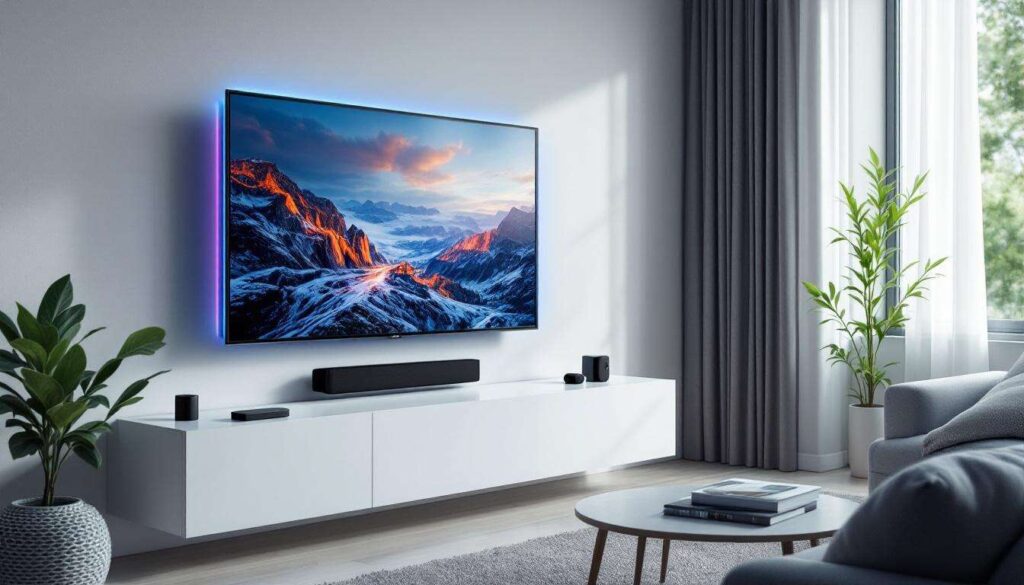
The humble USB port on your television might seem like a minor feature, yet it offers far more potential than many viewers realise. While most people use these ports solely for charging devices or playing media files from a USB stick, they can actually accommodate a surprising range of accessories that significantly enhance your viewing experience. From improving navigation to creating ambient lighting effects, these small additions can transform how you interact with your television on a daily basis.
Gadgets to enhance your TV experience
Expanding your television’s capabilities
Modern smart televisions come equipped with multiple USB ports that serve as gateways to expanded functionality. These connections allow you to integrate various peripherals that would otherwise require separate power sources or complex wireless setups. The beauty of USB-powered gadgets lies in their simplicity : plug them in, and they’re ready to use without cluttering your living space with additional cables or power adaptors.
The range of compatible devices continues to grow as manufacturers recognise the potential of these ports. Whether you’re looking to improve your browsing experience, add atmospheric lighting, or enable video communication, there’s likely a USB-powered solution available. The key advantage is that power and data transfer occur through a single connection, making installation straightforward for even the least technically minded users.
Choosing the right accessories
When selecting gadgets for your TV’s USB port, consider the following factors:
- compatibility with your specific television model and operating system
- power consumption requirements, as some USB ports have limited output
- ease of setup and whether additional software or applications are needed
- the physical placement of your USB ports and cable length requirements
Understanding these considerations ensures you invest in accessories that will work seamlessly with your existing setup. With this foundation established, let’s explore specific gadgets that can revolutionise how you use your television.
The utility of connected keyboards
Simplifying navigation and text entry
Anyone who has attempted to type a search query or password using a television remote control knows the frustration involved. Wireless keyboards eliminate this tedious process by providing a familiar input method that dramatically speeds up text entry. Models with integrated touchpads offer even greater convenience, allowing you to control on-screen cursors without needing a separate mouse.
These keyboards typically connect via a small USB receiver that plugs directly into your television’s port. The wireless range usually extends several metres, meaning you can comfortably type from your sofa without worrying about line-of-sight issues. This proves particularly valuable when browsing streaming services, entering login credentials, or searching for specific content across multiple platforms.
Practical applications
| Task | With Remote | With Keyboard |
|---|---|---|
| Typing a 15-character password | 2-3 minutes | 10-15 seconds |
| Searching for content | Slow navigation | Instant typing |
| Browsing websites | Difficult | Natural experience |
For households that frequently use their television to access online content, a wireless keyboard becomes an indispensable tool that justifies its modest cost many times over.
Illuminate your space with LED lights
Creating ambient viewing environments
USB-powered LED light strips have emerged as popular accessories for enhancing the visual atmosphere around your television. These flexible strips attach to the back of your screen and project coloured light onto the wall behind, creating a soft glow that reduces eye strain whilst adding aesthetic appeal to your viewing space.
Many modern LED strips feature reactive lighting technology that changes colour and intensity based on what’s displayed on screen. This synchronisation creates an immersive effect where the lighting extends beyond the physical boundaries of your television, making action sequences more dramatic and creating depth in darker scenes. The USB connection provides sufficient power for most standard-length strips whilst keeping cable management simple.
Benefits of bias lighting
- reduces eye fatigue during extended viewing sessions
- enhances perceived contrast and colour accuracy
- creates a cinema-like atmosphere in your home
- adds decorative appeal to your entertainment area
- minimal power consumption compared to traditional lighting
Installation typically takes just minutes, with adhesive backing allowing you to position the strips precisely where needed. Some models include remote controls for adjusting colours and brightness, whilst others offer smartphone app integration for more sophisticated control options.
Enhance your presentations with a clicker
Professional presentation tools at home
Whilst presentation clickers might seem more suited to boardrooms than living rooms, they offer surprising utility when your television doubles as a display screen for presentations. These compact devices connect via USB receivers and allow you to advance slides, control media playback, and navigate presentation software from anywhere in the room.
For those who work from home or occasionally need to review presentations on a larger screen, a clicker provides professional-grade control without requiring you to remain tethered to a computer. Many models include laser pointers and intuitive button layouts that make controlling your content effortless, even when standing several metres from the screen.
Beyond business applications
Presentation clickers also prove valuable for educational purposes, allowing parents to create interactive learning experiences for children using the television as a teaching aid. Photo enthusiasts can use them to control slideshow presentations during family gatherings, advancing through images at their own pace whilst remaining engaged with their audience.
Install a webcam for video calls
Transforming your TV into a communication hub
The rise of video communication has made webcams essential accessories, and connecting one to your television creates a large-screen video calling experience that standard laptop or tablet screens cannot match. USB webcams designed for television use typically include wide-angle lenses that capture multiple people simultaneously, making them ideal for family video calls.
Compatible smart televisions with appropriate applications can facilitate calls through various platforms, turning your living room into a comfortable space for maintaining connections with distant friends and relatives. The larger display allows everyone to see participants clearly, whilst the USB connection simplifies setup compared to wireless alternatives that might suffer from connectivity issues.
Technical considerations
Before purchasing a webcam for your television, verify that your model supports external camera inputs and has compatible video calling applications installed. Some televisions require specific webcam models, whilst others work with standard USB cameras. Check your television’s specifications or manufacturer website to ensure compatibility before making a purchase.
Transform your TV into a console with wireless controllers
Gaming without dedicated hardware
Many smart televisions now include gaming capabilities through built-in applications or streaming services. Wireless gaming controllers that connect via USB receivers unlock these features, providing a proper gaming experience without requiring expensive dedicated consoles. These controllers offer familiar button layouts and responsive controls that make playing games on your television genuinely enjoyable.
The range of available games continues to expand, from casual puzzle titles to more demanding action games. Whilst they may not match the performance of dedicated gaming systems, they provide convenient entertainment without additional hardware investments. Families can enjoy multiplayer games together, and individuals can access gaming content without occupying separate screens.
Advantages of USB gaming controllers
- no separate console required, reducing costs and clutter
- instant access to gaming content through television apps
- familiar control schemes for comfortable gameplay
- wireless freedom without battery concerns, as some models draw power from USB
- compatibility with various gaming platforms and streaming services
As cloud gaming services become more prevalent, the combination of a smart television and USB gaming controller positions your entertainment system to take advantage of these evolving technologies without requiring significant additional investment.
Your television’s USB ports represent untapped potential waiting to be explored. These five gadgets demonstrate how simple accessories can dramatically expand functionality, transforming a standard television into a versatile entertainment and communication hub. From improving navigation with wireless keyboards to creating immersive atmospheres with LED lighting, each accessory addresses specific needs whilst maintaining ease of use. The modest investment required for these peripherals delivers substantial returns in convenience and enjoyment, making them worthy considerations for anyone looking to maximise their television’s capabilities. By recognising these ports as gateways to enhanced experiences rather than mere charging points, you open up possibilities that make your viewing time more productive, comfortable, and engaging.