



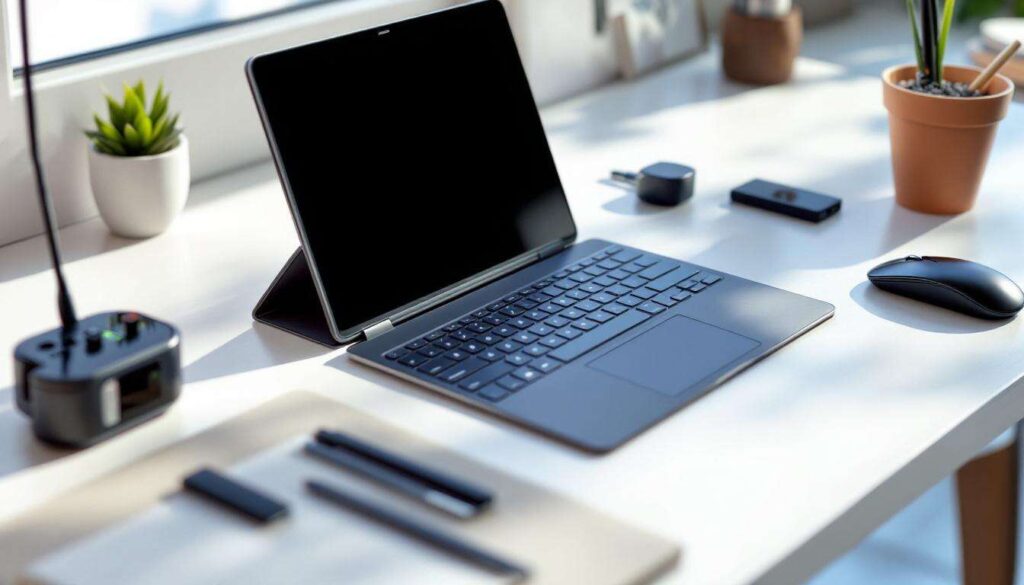
The line between smartphones and laptops continues to blur as Android devices become increasingly powerful. With the right accessories, your Android phone can handle tasks traditionally reserved for desktop computers, from drafting documents to managing spreadsheets. The key lies in selecting affordable gadgets that enhance functionality without breaking the bank. Four essential accessories can transform your pocket-sized device into a fully functional workstation, offering flexibility for remote work, travel, or simply decluttering your workspace.
Transform your Android smartphone into a work machine
Understanding desktop mode capabilities
Modern Android phones feature desktop mode functionality that mirrors a traditional computer interface when connected to external displays. Samsung’s DeX and Motorola’s Ready For exemplify how manufacturers have optimised this experience, providing resizable windows, taskbars, and multi-application workflows. These modes activate automatically when specific peripherals are detected, transforming the mobile interface into something remarkably similar to a conventional operating system.
Performance considerations for productivity tasks
Most mid-range Android devices now include sufficient processing power for everyday work applications. Consider these specifications when assessing your phone’s readiness:
- Minimum 6GB RAM for smooth multitasking
- Snapdragon 700 series processor or equivalent
- USB-C port with DisplayPort support
- Android 10 or newer operating system
- At least 128GB storage for documents and applications
The beauty of this approach lies in its cost-effectiveness. Rather than purchasing a separate laptop, you’re maximising the investment already made in your smartphone. Once you’ve established your device’s capabilities, the right peripherals will unlock its full potential as a laptop replacement.
Bluetooth keyboards for fast typing
Compact folding keyboards for portability
Folding Bluetooth keyboards represent the perfect balance between portability and functionality. These devices collapse to pocket size yet unfold to provide full-sized keys with adequate travel distance. Models from manufacturers like iClever and Jelly Comb typically retail between £20 and £35, offering rechargeable batteries lasting weeks between charges. The tri-fold design protects keys during transport whilst maintaining a typing experience comparable to traditional keyboards.
Full-size wireless keyboards for desk work
For stationary setups, full-size Bluetooth keyboards provide superior ergonomics and dedicated function keys. Budget-friendly options from Logitech and Microsoft range from £15 to £30, featuring:
- Standard QWERTY layout with number pad
- Battery life exceeding six months
- Multi-device pairing for switching between gadgets
- Quiet membrane switches suitable for shared spaces
- Adjustable feet for comfortable typing angles
| Keyboard Type | Price Range | Best For | Battery Life |
|---|---|---|---|
| Folding Bluetooth | £20-£35 | Travel and commuting | 2-3 weeks |
| Full-size Wireless | £15-£30 | Desk-based work | 6-12 months |
Pairing takes seconds, and most keyboards remember multiple devices, allowing seamless switching between your phone, tablet, and other Bluetooth-enabled equipment. With typing speeds restored to laptop levels, the next consideration becomes screen real estate for comfortable viewing.
Connect an external screen for comfortable viewing
Portable monitors designed for mobile devices
Portable USB-C monitors have revolutionised mobile productivity. These lightweight displays measure between 13 and 15.6 inches, drawing power directly from your Android device whilst providing Full HD or even 4K resolution. Brands such as ASUS and Lepow offer models starting around £80, featuring protective cases that double as stands. The single-cable connection simplifies setup, eliminating the need for separate power adapters during travel.
Utilising existing monitors at home or office
Any monitor with HDMI input can serve as an Android display through an inexpensive adapter. USB-C to HDMI cables cost between £8 and £15, instantly connecting your phone to screens of any size. This approach proves particularly economical if you already own a monitor, requiring only the cable investment. The larger workspace dramatically improves productivity for tasks involving:
- Spreadsheet editing with multiple columns visible
- Document formatting with live preview
- Video conferencing with shared screen capabilities
- Photo editing requiring detailed inspection
- Web research across multiple browser tabs
Resolution and refresh rate considerations
Most Android phones support 1080p output as standard, with flagship models managing 1440p or 4K. Match your monitor’s resolution to your phone’s capabilities for optimal performance. Refresh rates typically cap at 60Hz through mobile connections, which proves adequate for productivity work though less suitable for gaming. Precision navigation becomes significantly easier with appropriate pointing devices.
Wireless mice for precise navigation
Bluetooth mice offering laptop-like control
Touchscreen navigation becomes cumbersome for extended work sessions. A Bluetooth mouse restores the precision and speed familiar from laptop use. Budget options from Logitech, Microsoft, and generic manufacturers range from £10 to £25, providing reliable connectivity and ergonomic designs. Optical sensors track accurately on most surfaces, whilst programmable buttons can trigger Android-specific functions like returning home or accessing recent applications.
Compact travel mice for on-the-go productivity
Travel-oriented mice sacrifice size without compromising functionality. These diminutive devices fit easily into laptop bags or even pockets, featuring retractable dongles or pure Bluetooth connectivity. Battery life typically extends beyond three months of regular use, and many models include on/off switches to preserve power during transport. The familiar point-and-click interface significantly accelerates tasks compared to touchscreen gestures.
| Mouse Feature | Budget Option | Premium Option |
|---|---|---|
| Connection Type | Bluetooth 3.0 | Bluetooth 5.0 |
| DPI Range | 800-1600 | 800-4000 |
| Battery Life | 3-6 months | 12-24 months |
| Programmable Buttons | 2-3 | 5-7 |
Cursor control transforms the Android experience, particularly when combined with keyboard shortcuts. However, connecting multiple peripherals simultaneously requires a solution that expands your phone’s limited ports.
Use a USB-C hub to connect multiple peripherals
Multi-port hubs for comprehensive connectivity
A USB-C hub serves as the cornerstone of any Android workstation, providing the ports necessary to connect keyboards, mice, storage devices, and displays simultaneously. Quality hubs ranging from £20 to £40 typically include:
- HDMI output supporting 4K at 30Hz or 1080p at 60Hz
- Three or more USB-A ports for legacy peripherals
- SD card reader for photographers and content creators
- USB-C power delivery pass-through maintaining phone charge
- Ethernet port for stable wired internet connections
Power delivery and charging considerations
Select hubs featuring power delivery support to prevent battery drain during intensive work sessions. This functionality allows simultaneous peripheral use whilst charging your phone through the hub itself. Most Android devices require at least 18W charging, though flagship models benefit from 30W or higher. Verify your hub’s power delivery rating matches your phone’s charging specifications to maintain adequate power levels during extended use.
Compatibility with different Android devices
Not all USB-C ports support the same features. Check your phone’s specifications for USB OTG (On-The-Go) support and DisplayPort Alt Mode before purchasing a hub. Most devices manufactured after 2018 include these capabilities, but budget models occasionally omit them. Testing with a friend’s hub before purchasing can prevent compatibility disappointments. With hardware sorted, software optimisation completes the transformation.
Essential apps for mobile productivity
Office suites optimised for Android
Microsoft Office and Google Workspace provide comprehensive productivity tools optimised for mobile devices. Both suites offer free tiers sufficient for most users, with desktop mode interfaces appearing automatically when external displays are connected. Documents, spreadsheets, and presentations sync seamlessly across devices, ensuring work continuity between phone and traditional computers. LibreOffice’s Android version offers an open-source alternative with impressive format compatibility.
File management and cloud storage solutions
Effective file organisation becomes crucial when replacing a laptop. These applications enhance Android’s native capabilities:
- Solid Explorer for advanced file operations and network access
- Google Drive, Dropbox, or OneDrive for cloud synchronisation
- PDF readers with annotation tools like Adobe Acrobat
- Compression utilities supporting ZIP and RAR formats
- FTP clients for website management and server access
Communication and collaboration platforms
Remote work demands reliable communication tools. Slack, Microsoft Teams, and Zoom function excellently on Android, particularly when paired with external displays and keyboards. Video quality benefits from the superior cameras found in modern smartphones, often surpassing laptop webcams. Screen sharing works seamlessly in desktop mode, allowing presentation of documents and applications during virtual meetings.
Specialised productivity applications
Task-specific applications round out the mobile workstation. Notion and Evernote excel at note-taking and project management, whilst Trello and Asana handle team collaboration. Developers can utilise Termux for command-line access, whilst designers benefit from Adobe’s mobile suite. The Google Play Store hosts thousands of professional applications previously exclusive to desktop platforms, many optimised for larger screens and peripheral input.
Transforming an Android phone into a laptop replacement requires minimal investment yet delivers substantial returns in flexibility and productivity. The four gadgets outlined—keyboards, external displays, mice, and USB-C hubs—collectively cost less than most budget laptops whilst leveraging the powerful device already in your pocket. Combined with optimised applications, these accessories create a genuinely viable alternative to traditional computing, particularly for users prioritising portability and simplicity. Evaluate your specific workflow requirements, select appropriate peripherals within your budget, and discover how effectively your smartphone can handle professional tasks previously demanding dedicated hardware.